MODULE AVAILABLE

All your company's knowledge,
one question away.

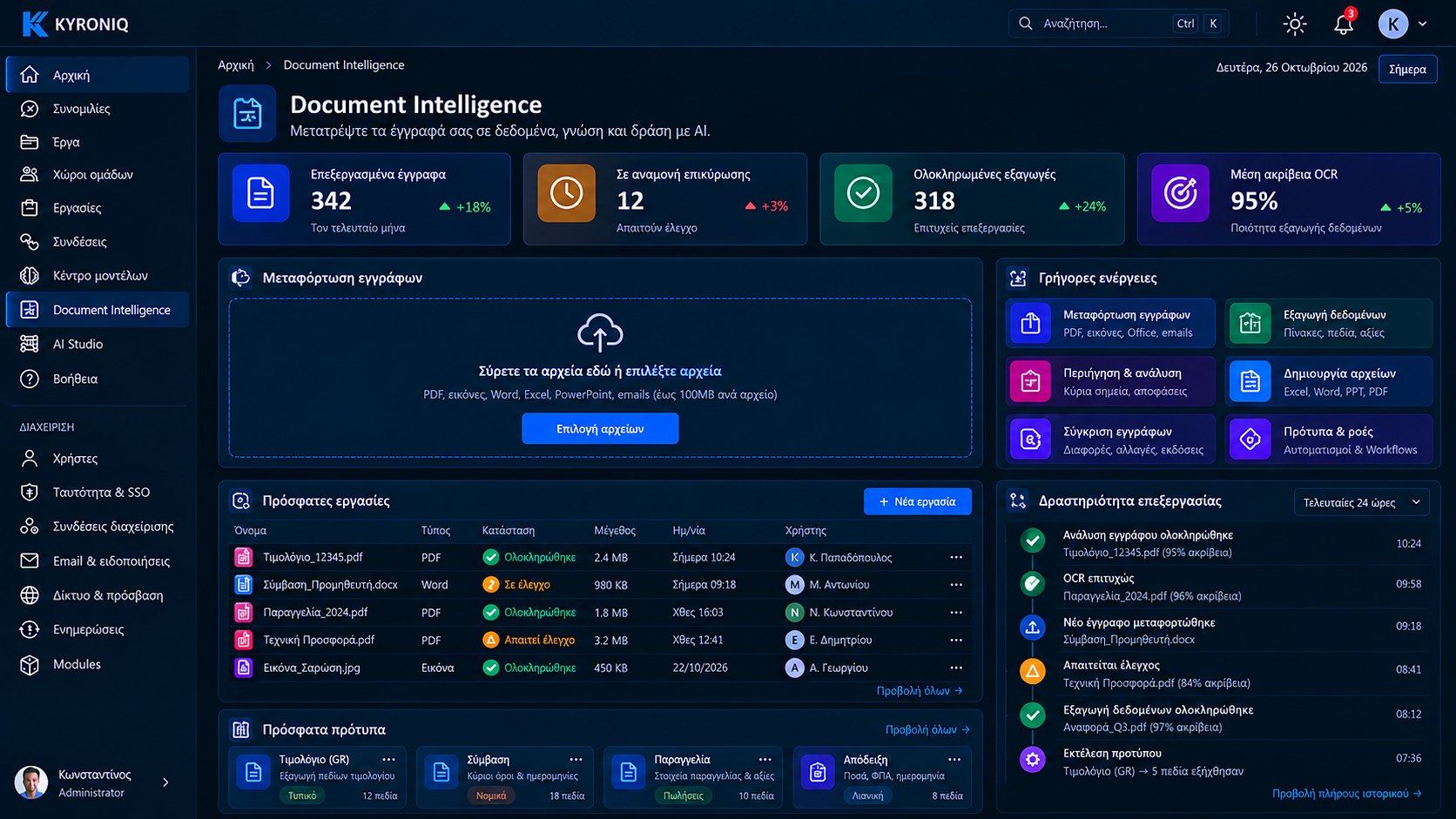
Documents, scans, contracts and invoices become data and answers. KYRONIQ reads, extracts and searches — only in what each user is entitled to see.

DOCUMENT INTELLIGENCE & KNOWLEDGE

From PDF to Excel in one step

The agent finds the documents, extracts the lines, checks the totals and hands you a ready file.

  • OCR on scans, PDFs and photos
  • Table extraction to Excel with validation
  • Search and answers with sources
KYRONIQ Workspace
ANNA · ACCOUNTINGExport to Excel the lines from supplier Alfa's invoices for October.
KYRONIQ
SharePoint → 9 invoicesOCR → 214 linesTotals checkExcel → file

I extracted 214 lines from 9 invoices. The totals match the PDFs, except for one that needs checking.

CAPABILITIES

What it does for your team

OCR

Reads scans, PDFs and photos in Greek, English and Bulgarian.

PDF → Excel

Extracts tables from invoices, delivery notes and reports, with totals checks.

Enterprise search

Natural-language search across SharePoint, file servers and email.

Answers with sources (RAG)

Answers from your company's documents, with a citation for every source.

Classification & extraction

Recognizes document type and fields: supplier, amounts, dates, terms.

With your own permissions

Every search respects the user's permissions on the original files.

✓Review & validation

No number goes through unchecked

The original and the extracted fields side by side, with a confidence score for each. Totals, VAT and line items are checked automatically; anything that does not add up or has low confidence goes to a person to confirm — never silently corrected.

  • Every value links back to its page and spot in the document
  • Comments, corrections and review history
  • Save to a project or continue in a Workflow
Document Intelligence · Review
Data review & validation
Processing & OCR

Storage & retention

Results go where you want them

Choose where the files KYRONIQ creates are stored: in the user’s OneDrive, in an approved folder on the company network, or downloaded to your computer. Only temporary copies stay on the platform, under a retention policy set by the administrator.

  • Temporary-file retention, 30 days suggested
  • Bell notification 7 days and 1 day before deletion
  • Space limits per user and job, with exhaustion protection
  • Active jobs and files in external destinations are never deleted automatically
Document Intelligence · Storage
Storage settings

STORAGE SETTINGS

Every file, under rules you set

Destinations, retention, notifications, limits and advanced security settings — in one settings screen for the administrator.

Destinations: OneDrive, company file system, computer

Destinations: OneDrive, company file system, computer

Retention policy per file category

Retention policy per file category

Storage & retention notifications

Storage & retention notifications

Space limits and what happens when exceeded

Space limits and what happens when exceeded

Encryption, audit, integrity, failover, DLP

Encryption, audit, integrity, failover, DLP

CONNECTS WITH

SharePointOneDriveFile serversOutlookScannersERPExcel

See KYRONIQ working with your own systems.

A 30-minute demo built around your own scenarios. No commitment.